
On October 8, we began working in Adobe Photoshop. We spent some time going through some basic key functions and tools. We then were given an assignment to create an advertisement. The start of the assignment was a Photoshop document that had images of salad toppings, a cutting board, and a text image. 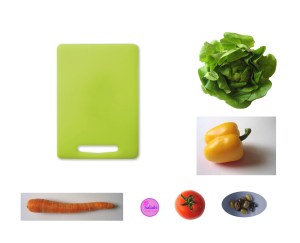
To move the salad toppings onto the cutting board we used the object selection tool, the magnetic lasso tool, and the magic wand tool. After each object was positioned on the cutting board, we used the quick selection tool to select each object and place it on its own layer. Once each layer was created, we went to the first layer (example: carrot) and created a layer effect. We added drop shadows to each layer, so that every object on the cutting board has a soft shadow.
We then altered the image to be a flatten image, converted the colors to CMYK form, and it’s done! This was our first exercise in Photoshop, which is a practice for tools that we will need for our final Photoshop project. Coming soon!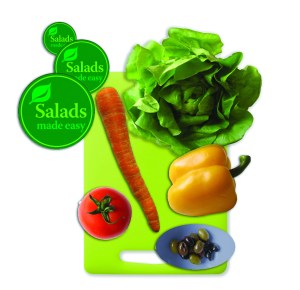
 C.K.
C.K. 
the soft shadow on the pepper and tomato are wrong, but the lettus and carrot look good!