
This semester, I am enrolled in a course called Basic Computer Images. It focuses on learning the Adobe Creative Suite: Illustrator, InDesign, and Photoshop. This was my first time really working with the Mac/Apple user face and software. I’ve used Microsoft Word on a Mac before, but never thoroughly used a Mac. So the first program that we started with is Illustrator. We went through basic functions and tools. Some of our first assignments involved using the Pen Tool and making Bézier Curves. We used worksheets as templates in Illustrator and make curves and straight lines, then combined them both to create outlines and fills of various shapes.
Our first project was entitled Object Illustrations. The process was to first sketch out a scene or image that meant something to us. Maybe our favorite place, or instrument, or to basically illustrate something that we enjoy or take pride in. I looked to the easiest inspiration for me: music and writings. I love finding a great lyric in classic songs, or an engaging quote or poem. My all time favorite quote is from Shakespeare’s Twelfth Night. In Act 1 Scene 1, Duke Orsino starts by saying “If music be the food of love, play on;”. I find music to be influential in a person’s life, because every one finds a different meaning in the same words or notes, and its common for us to attach ourselves to songs or lyrics because they make us feel or think about something sentimental to us. Personally, any song or lyric that makes me think of my long-term boyfriend, I remember it. So this line from Shakespeare has stayed with me since high school.
From this line, I imagined a romantic scene in the woods, where there are candles and musical instruments and a bottle of wine and such. So that is the scene I sketched out and used for my image. For the assignment we were required to create multiple sketches and then incorporate them into one final image. I used tracing paper and made 2 separate layers: a tree background layer, and another that had the objects that will be on top the table. I then scanned these into the computer and placed each one on Illustrator under separate layers.
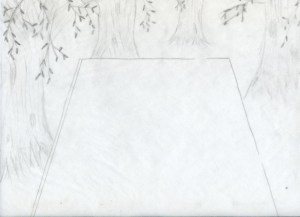
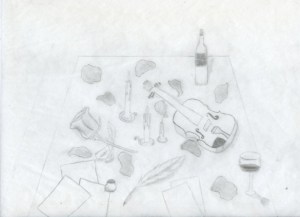
That was the easy part. The next steps included tracing each layer using the Pen Tool. That involved making shadows for the bottom of the trees, creating a dense forest look with the branches and leaves, and of course, all the objects on the table.Throughout the tracing, colors were a major step. Including finding shadow colors, and creating gradients for some objects like the wine bottle. The last piece that I worked on were the music sheets, love letters, and the ground color. I made a gradient for the ground so that it would fade to black, to the distance in the woods. Then it is finished!
Once done, we saved the Illustrator document to a EPS, which is an Encapsulated Post Script. We then opened InDesign, placed the EPS document and created a small text box to include my name on my image. From here, we created a Package of our images, which included the font we used, the links for the Illustrator document, and a PDF of the image. Final step in this 3 week long process was printing and presenting!
Overall, I was a little nervous at first, attempting to successfully create my first Adobe image. But after working consistently, I became familiar with the tools and processes in the program. I am pretty proud of my work, and very eager to begin making new images and artwork. Below is a pdf of the final image!
 C.K.
C.K. 